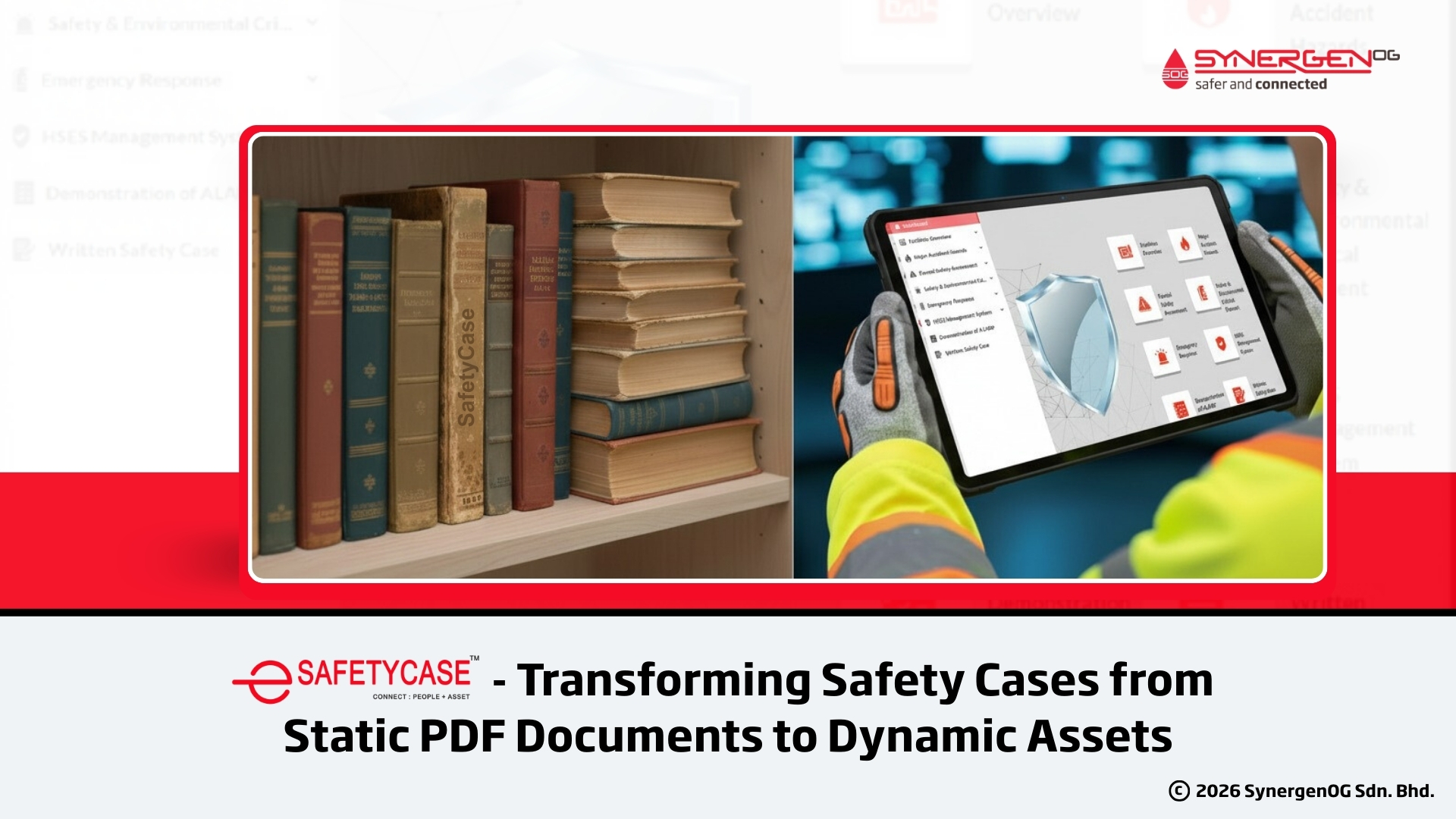
| What is an electronic safetycase? It is a web-based platform built to provide live Safety Case information in a simple, clear format, making it easier for the workforce to access, understand, and contribute to maintaining facility safety. |
The Safety Case “Shelfware” Problem
If you work in oil & gas, chemicals, or energy, you already know the reality: developing a Safety Case (often called an HSE Case) can consume hundreds of hours across engineering, operations, HSE, and leadership, only for the final deliverable to become a static PDF or binder that’s rarely opened again.
That’s not because teams don’t care. It’s because traditional safety cases are hard to use operationally:
- They’re large and difficult to navigate
- They aren’t naturally integrated into day-to-day workflows
- Frontline teams often can’t find the exact safety-critical information they need at the moment they need it.
But process safety doesn’t improve just because a document exists. Safety improves when information is accessible, current, and actively used during toolbox talks, job planning, risk assessments, contractor onboarding, and audits.
That’s the shift SynergenOG focuses on with eSafetyCase: an electronic safety case software platform designed to operationalize your Safety Case, turning it from a compliance artifact into a living, daily-use asset.
The Hidden Cost of Underutilized Safety Cases
A Safety Case is meant to be more than a regulatory checkbox. As defined, a Safety Case is a structured demonstration that an operator can identify hazards, assess risk, and control those risks (typically to ALARP – As Low As Reasonably Practicable).
Yet, in many organizations, the Safety Case lifecycle looks like this:
- High effort to develop the Safety Case (multi-discipline, many revisions, heavy documentation).
- Minimal operational use after acceptance, because people can’t quickly find or interpret content.
- Fragmented understanding of Major Accident Hazards (MAH) and Safety-Critical Elements (SCE), especially across shifts, contractors, or remote leadership.
The downstream impact is serious: when Safety Case information isn’t integrated into routine work, the workforce can lose visibility of the controls and barriers that prevent MAH events.
HSE Case should be supported in operation, not just on paper: its objectives are
- Ensuring personnel awareness of facilities and safety systems,
- Understanding major HSE risks and how MAHs are managed,
- Awareness of the Safety Management System (SMS) and roles/responsibilities,
- Understanding emergency planning for evacuation during major hazard events.
In other words, Your Safety Case should be a practical tool that supports competence and decisions every day.
eSafetyCase: Operationalizing HSE Cases in Your Facility
eSafetyCase is SynergenOG’s digital safety case / electronic safety case software built to bring Safety Case information into the workflow of both management and frontline teams. The platform is designed to host live information related to the Safety Case and make it “simple and clear,” improving workforce access and participation in upholding facility safety.
What makes eSafetyCase different from document storage?
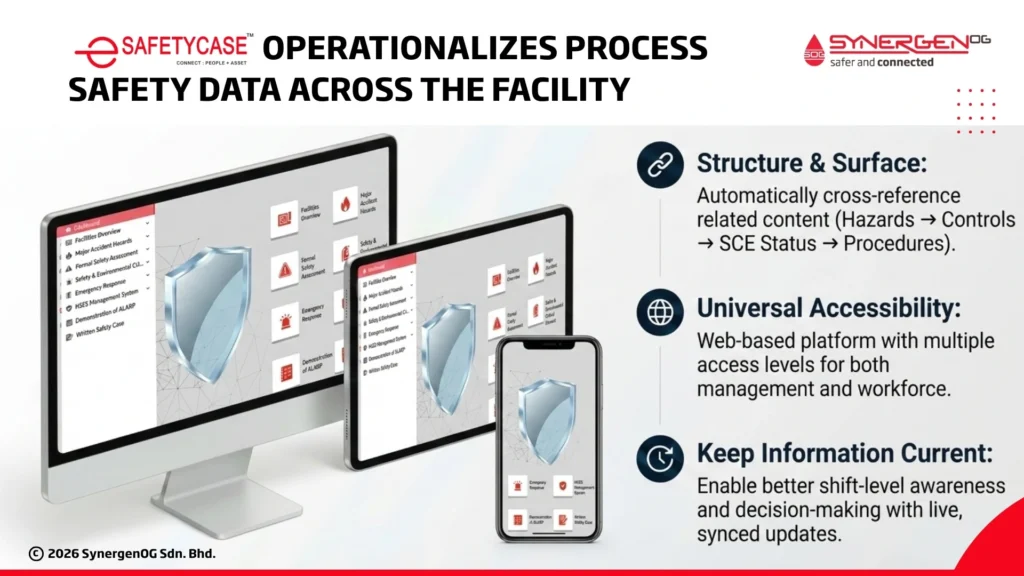
A typical document repository can store a Safety Case. eSafetyCase is built to structure, surface, and operationalize Safety Case content so people can:
- Locate critical information quickly (without manual searching),
- Cross-reference related content (hazards → controls → SCE status → procedures),
- Support better shift-level awareness and decision-making,
- Keep information current through easier updates and organization-wide access.
Built for accessibility across the organization
SynergenOG emphasizes that both management personnel and the workforce can easily access the dashboard, and that it’s a web-based platform accessible on various handheld devices, with multiple access levels.
This matters because workforce involvement is a cornerstone of major hazard control. The HSE Case material highlights that stakeholders at all levels should have roles in ensuring safe operations, supported by access to the information required to do the job safely.
Modules: Everything You Need in One Place
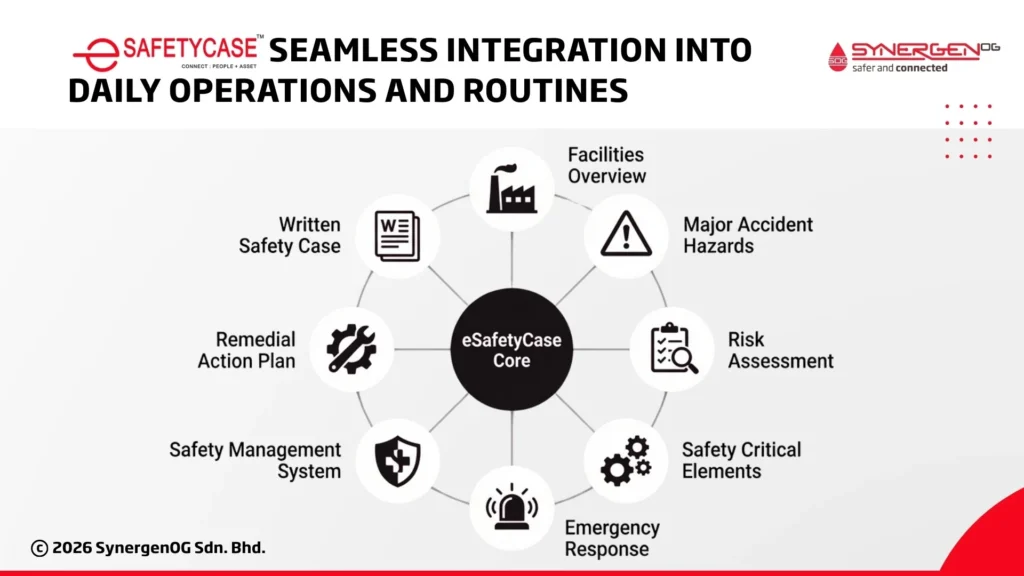
Most fail operationally because they’re not organized for use. eSafetyCase addresses that by structuring content into clear modules that reflect how people search for information during work.
SynergenOG’s eSafetyCase structure includes eight main sections by default:
- Facilities Overview
- Major Accident Hazards
- Risk Assessment
- Safety Critical Elements
- Emergency Response
- Safety Management System
- Remedial Action Plan
- Written Safety Case
This structure aligns closely with “typical safety case content,” including facility overview, risk management, emergency response, safety management systems, and remedial action planning.
Also Read: How to prepare a Safety Case – Step By Step
Traditional vs Electronic Safety Case (practical difference)
Here is the clear distinction:
| Traditional Safety Case | Electronic Safety Case |
|
A comprehensive document that details a facility’s safety management systems and procedures, showing how operational risks are identified, evaluated, and controlled to ensure safe, compliant operations.
|
Digital version of the traditional safety case, designed to provide accessible, up-to-date safety information and facilitate easier updates and management of safety documentation. |
What each module supports in day-to-day work
- Facilities Overview & layouts: Design standards, certificates, facility areas/processes, safety systems, escape and evacuation provisions.
- Risk assessments: Summarize safety reviews/studies/assessments raised for the facility.
- SCE monitoring: Brings attention to the elements that must perform MAH events.
- Safety management system integration: Supports Plan-Do-Check-Act style governance, training/competency, maintenance & inspection, MOC, contractor management, audits, and review.
Standout Features That Drive Daily Engagement
eSafetyCase isn’t just software’s sake.” It’s positioned as a process safety software application that increases engagement by making Safety Case content easier to use, particularly for the workforce.
1) Interactive and intuitive UI (designed for adoption)
eSafetyCase is interactive and intuitive to encourage stakeholders across the organization to use it, with constant reference, monitoring, and updates done “simultaneously and effectively.”
2) Emergency readiness in the field
During a developing event, people don’t have time to dig through documents. eSafetyCase includes quick access to emergency checklists and procedures, a practical advantage for control room, on-site supervisors, and emergency response roles.
3) Visualizing safety barriers (and spotting gaps)
One of eSafetyCase’s most operationally relevant features is the visualization of safety barriers to ease the identification of gaps.
For major hazard facilities, barrier thinking is how prevention and mitigation stay real, especially when:
- Systems degrade
- Overrides become normalized
- Maintenance backlogs grow
- Workarounds accumulate
A barrier visualization capability helps teams see where risk controls may be weak, before a major incident makes it obvious.
Advanced Add-Ons: Bringing Your Facility to Life
Where many “digital safety case” offerings stop at document hosting, eSafetyCase goes further with add-ons that make complex facilities easier to understand, especially for non-routine work, onboarding, and contractor engagement.
1) 3D Visualizer (AutoDesk viewer + PDMS models)
eSafetyCase can upload 3D Facility Models (PDMS) via an Autodesk viewer plugin. Users can rotate views, measure, zoom in/out, and use basic 3D viewer commands to understand the layout better and support the planning of potential work.
That’s not a “nice-to-have.” In high-hazard environments, spatial understanding reduces risk during:
- SIMOPS planning
- Confined area work
- Lift planning
- Isolation planning
- Emergency response familiarization
2) Clickable interactive images (instant context by area)
eSafetyCase can also host clickable images, where facility layouts or process block diagrams are segmented into defined areas. Clicking an area routes the user to detailed information about that zone, useful for plant layouts, block diagrams, flowcharts, and other complex visuals.
This is how Safety Case content becomes navigable for the workforce: instead of “searching a document,” users navigate the facility visually.
3) Rich media UI for effective knowledge transfer
The user interface can incorporate:
- 3D imaging
- Videos
- Clickable images
- PDF files
- Images
- Tables
- Hyperlinks to external information sources, supporting “easy dissemination of safety critical information.”
Real-World Applications: Beyond the Boardroom
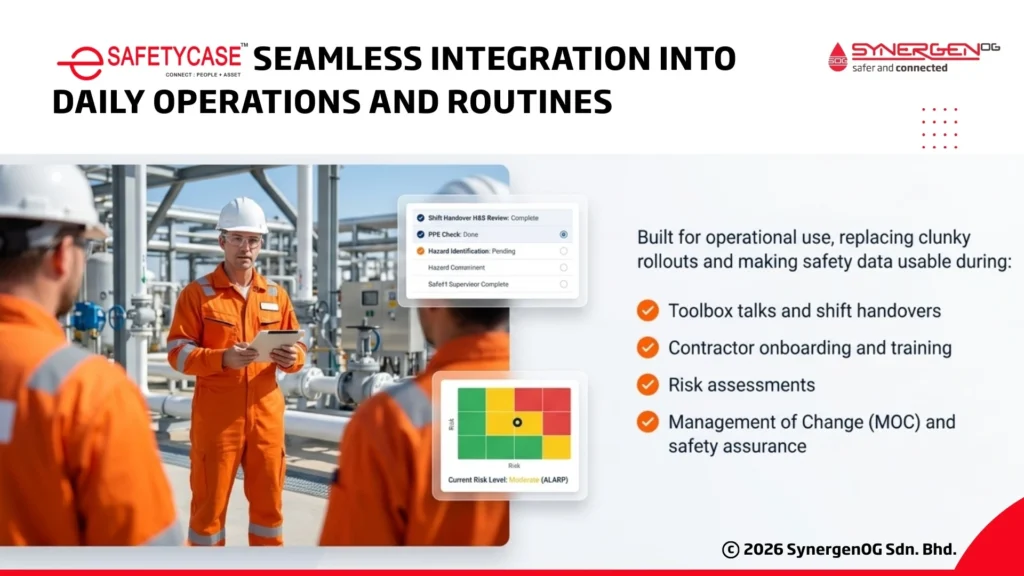
A key selling point is that eSafetyCase is built for operational use, replacing clunky Safety Case rollouts and making the content usable in everyday safety leadership.
SynergenOG explicitly positions eSafetyCase for:
- Onboarding and training
- During risk assessment
- Change management
- Safety assurance – framing the system as a dynamic reference that supports continuous awareness and informed decisions.
Why this matters: Workforce involvement and MAH control
Major Accident Hazard management requires more than a small group of specialists understanding the Safety Case. SynergenOG emphasizes workforce involvement as active participation of company and contractor workers, consultative relationships between management and workers, and access to the information required to do the work safely.
eSafetyCase supports that intent by reducing friction, it makes HSE case more accessible and usable in the exact moments where decisions are made.
Conclusion (Make Your Safety Case a Living System)
If your Safety Case only exists for the regulators, you’re leaving real value and risk reduction on the table.
eSafetyCase by SynergenOG is designed to change that by turning the Safety Case into an operational asset:
- Structured into modules, people can navigate
- Accessible across the workforce via a web-based platform
- Supporting emergency readiness with fast access to checklists and procedures
- Enabling barrier visualization to identify gaps early
- Offering advanced capabilities like 3D PDMS model viewing and clickable facility diagrams for intuitive navigation.
In process safety, inaccessible safety data is a risk you can’t afford, especially in facilities where the difference between “known” and “understood” can be the difference between routine operations and a catastrophic event.
Ready to bring your Safety Case to life and make it usable across your workforce?
Enquire for a live demonstration of SynergenOG’s eSafetyCase and see how electronic safety case software can operationalize MAH and SCE management across your facility.
Disclaimer: This article is a promotional one.